Use Bitcoin, ETH and other cryptocurrencies to pay your personal or business invoices: rent, utilities, taxes... Pay them all straight from your wallet, no bank account required!
⭐️⭐️⭐️⭐️⭐️ Rated excellent from 1539 reviews
Made with ❤️ in Switzerland
How it works
1. Sign up and verify your identity
Open our payment widget, sign up and follow instructions to verify your identity, if not already done.
2. Add your bill(s)
Upload or scan an invoice and provide all the needed detail to pay it. You can also add multiple invoices and pay them all in a single crypto transaction.
3. Choose your payment crypto
Select the cryptocurrency in which you would like to pay, from our list of available crypto-assets on 16 different chains.
4. Make your crypto transfer
Follow the instructions to send the right amount of crypto to our wallet address. We will wire the converted funds to the invoice's beneficiary shortly after we receive your transfer.
For more detailed instructions, head down to our step-by-step tutorial:
We only charge a small commission (0% - 1.3%) on the crypto-fiat conversion when you pay a bill. It is transparent and without fees hidden in the exchange rate.
Scan a Swiss QR-bill from your phone or from your webcam and pay it, you won't have to type anything manually.
Unbank yourself
With our crypto-fiat invoice payment solution, you don't need a bank account anymore. Keep your funds on chain and use your crypto to pay your fiat bills through our service.
Pay bills from any wallet
We are a self-custodial service, which means we never hold your funds and always receive your crypto directly from an address you provide, whether from a hardware or mobile wallet. Here are some of the main wallets that you can use with our service to pay bills with cryptocurrencies:
"When our bank closed our account during Covid, we couldn't make payments anymore. We switched all our funds into stablecoins and used Mt Pelerin to pay the salaries and invoices of our company. The service is fast and fluid, and there's never been an issue for the recipients."
"I've discovered Mt Pelerin when I had to pay my personal invoices while I was paid in crypto. The solution is easy to use, very good support and fast answers to all my questions. I recommend without hesitation."
Sophie, private client
"Everything is to be invented in the world of decentralized finance. With the invoice payment service of Mt Pelerin, you always have someone who answers you. The larger the amounts, the more compliance points you must follow. With the Mt Pelerin team there is always a solution."
"Mt Pelerin's invoice payment service has been a game-changer for us at Galileo. Their platform is intuitive, efficient, and reliable, making it seamless to handle payments securely and on time. Highly recommended!"
Thanks to Mt Pelerin's service, our companies are unbanked from day 1. We directly use the bitcoins issued from our mining operations to pay our current invoices, it's smooth and without problems."
"I've discovered this invoice payment service for my plan to buy a car. Result: my Tesla is parked in front of my door! The experience is impeccable, smooth and fast with the possibility to choose a reference for the payment."
P., private client
How to pay a bill with Mt Pelerin
Follow these steps to pay any EUR or CHF invoice using cryptocurrencies from your own wallet.
1. Register or login
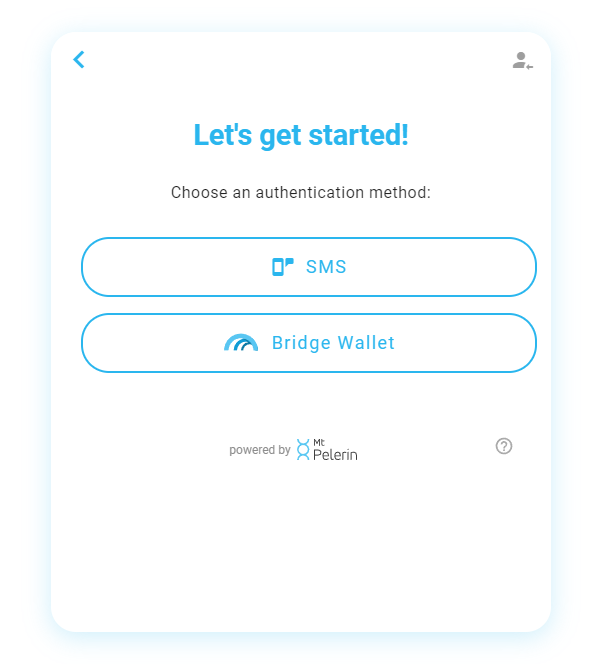
The first step to get started is to login or sign up. All you need to register is an email address and one of these authentication methods:
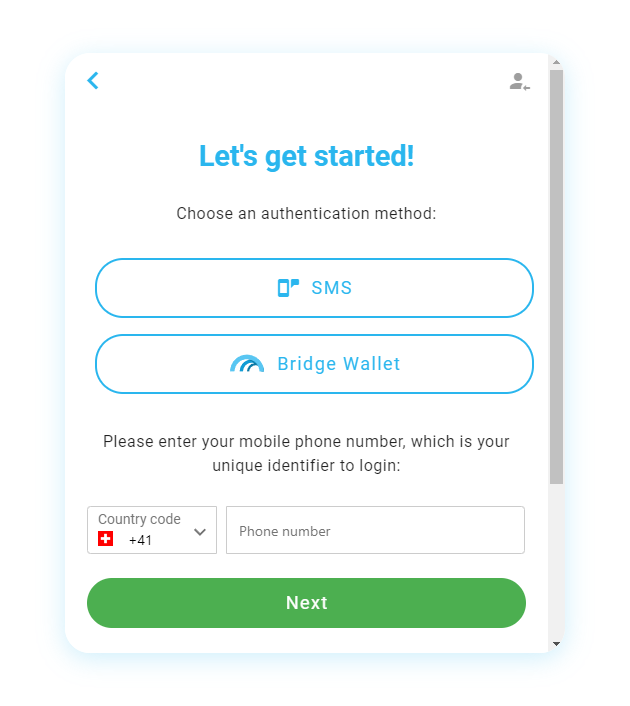
SMS: You will need to provide a phone number and confirm it with an SMS code.
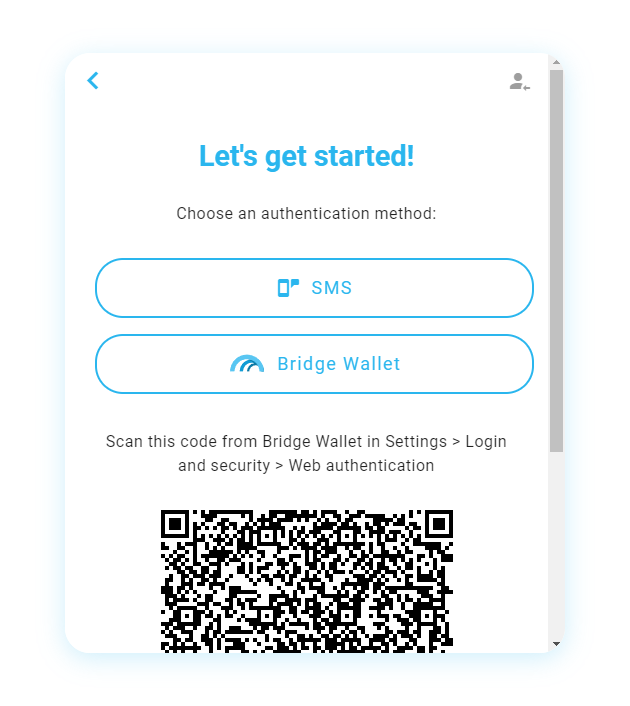
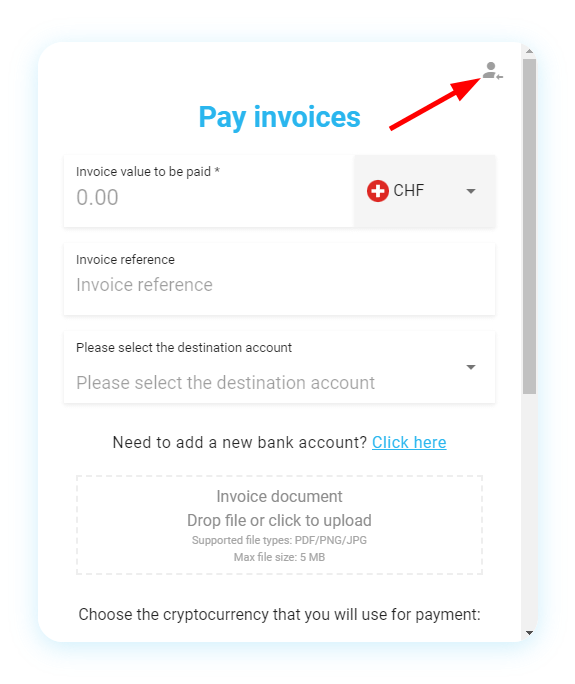
Wallet signature: Download our app Bridge Wallet, create or restore a wallet, then go in the user profile menu on the top right of the app's main screen, and choose the signature option. You can then use the "Login with Bridge Wallet" option here.
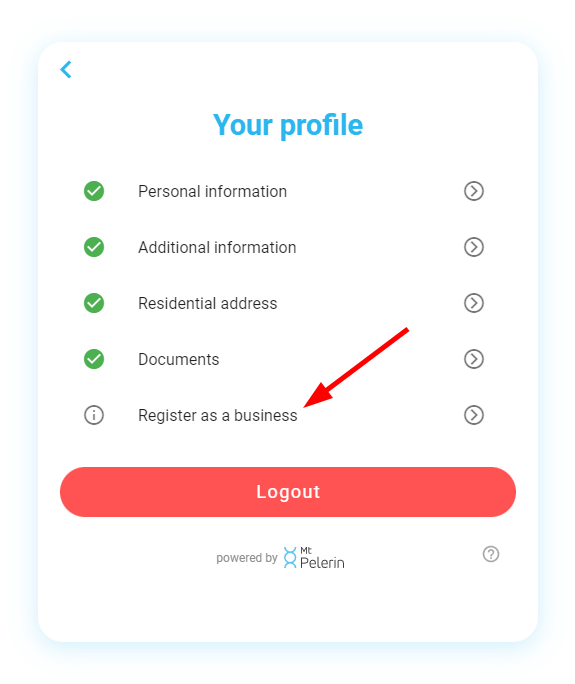
If you would like to register as a company, please use this link to sign up: kyb.mtpelerin.com
If you already have a profile with us, login with one of the methods available to continue. For this example, we choose the SMS option:
Login / signup with the Mt Pelerin invoice widget
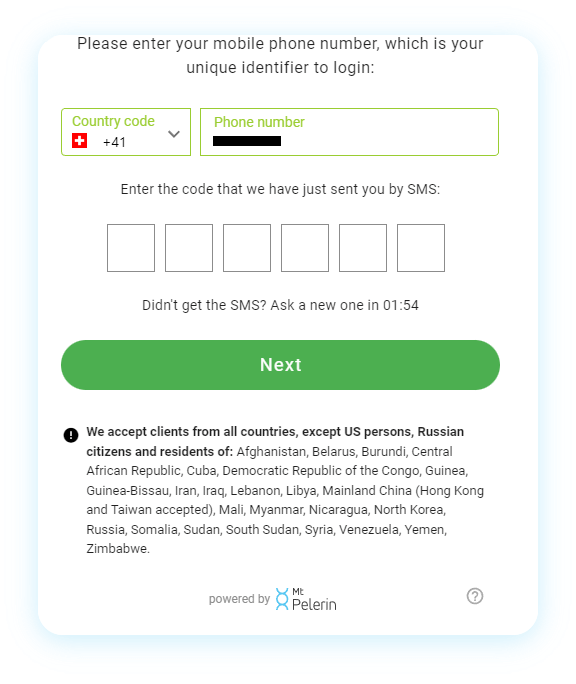
2. SMS code confirmation
Enter the code that you have received by SMS. If you haven't received any, you can ask for a new one after the timer cooldown:
Phone number confirmation by SMS
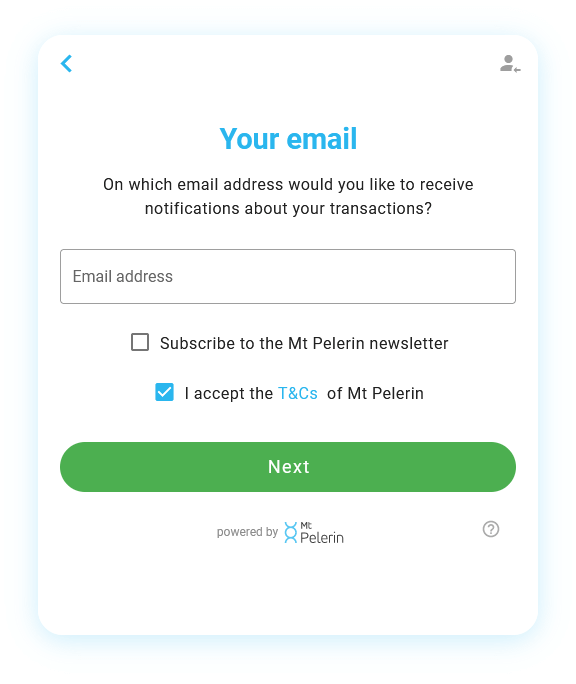
3. Email
Enter an email address, where you will receive notification emails about your transactions:
Provide your email address
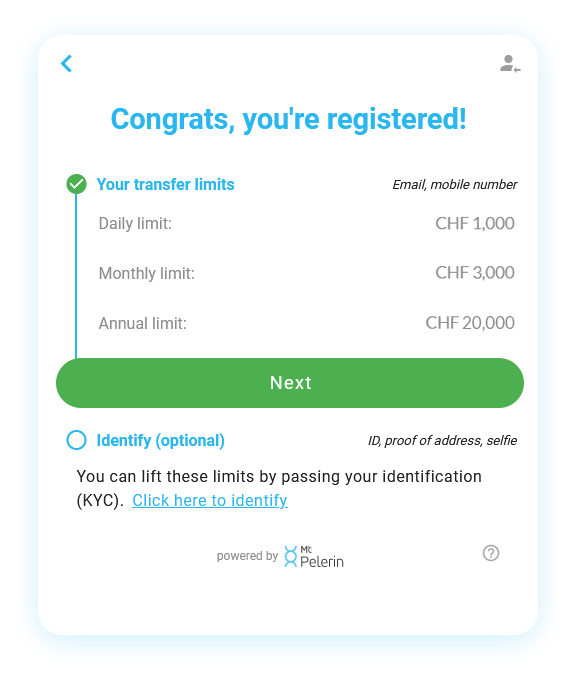
4. Registered
You will see here your profile status and your buy/sell/swap volume limits. Click "Next" to continue:
Signup successful
5. Add an invoice
This is the step where you provide us with the document for the invoice you have to pay.
You have the choice to upload a file from your device, switch on your mobile phone to take a photo of a physical document, or scan a Swiss QR-bill.
Available ways to upload an invoice
6. Complete and check information
Depending on how you will have uploaded an invoice, fields will be prefilled or will need to be completed manually.
Complete what is missing and check that everything is correct.
Result of a successfully scanned Swiss QR-bill
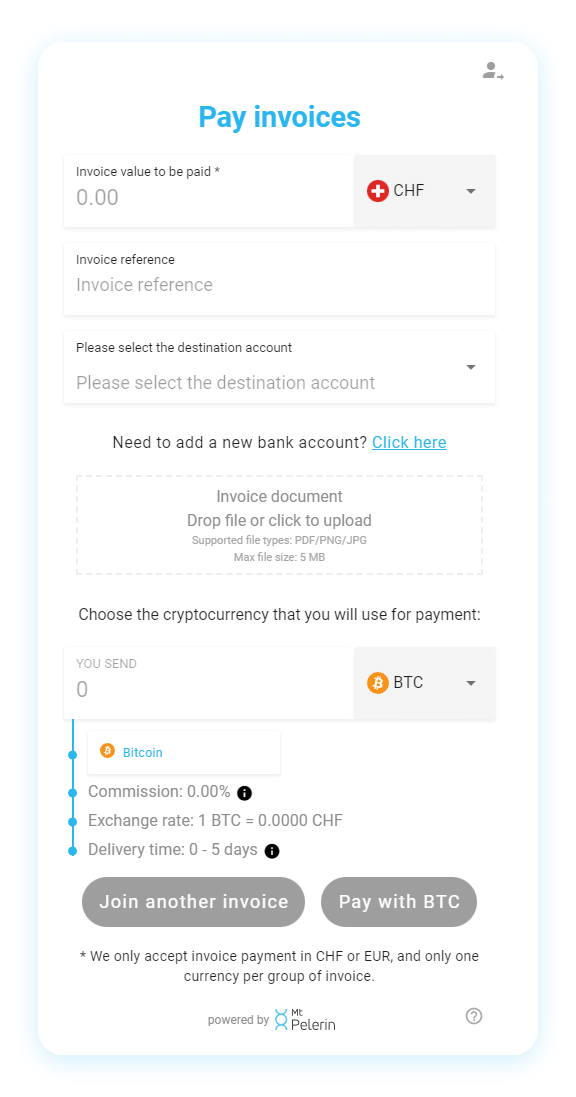
7. Choose the crypto
When everything looks good, scroll down and choose in which cryptocurrency you want to pay the bill.
If you haven't verified your identity with us yet, you will be invited to do so in the widget before being able to pay your bill.
You also have there the option to add more invoices, in order to pay multiple bills in a single crypto payment.
Choosing the crypto to pay the invoice
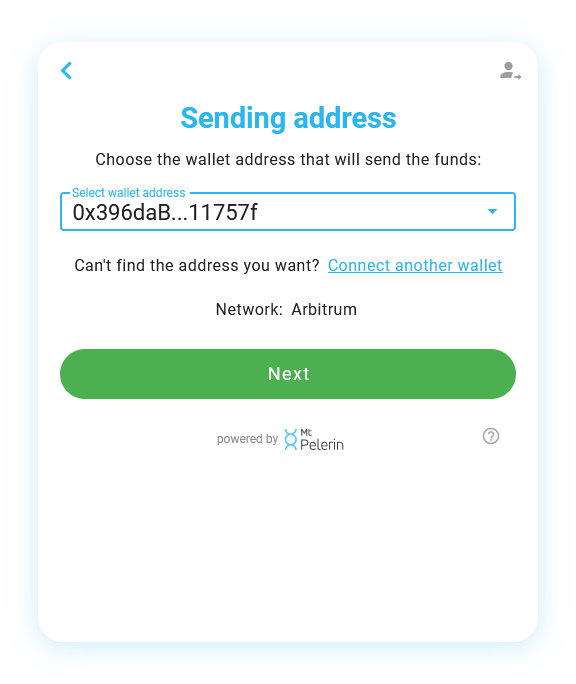
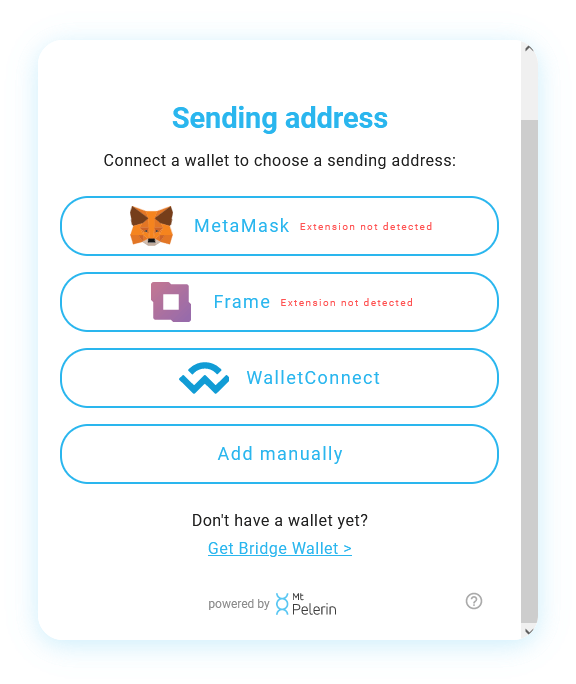
8. Select the sending address
Choose one of the available options to connect a wallet and choose the address that will send the crypto. See here for a detailed tutorial. If you already have a profile with us, you will be able to choose one of the wallet addresses that are linked to your profile, or add a new one:
Receiving address selection and verification
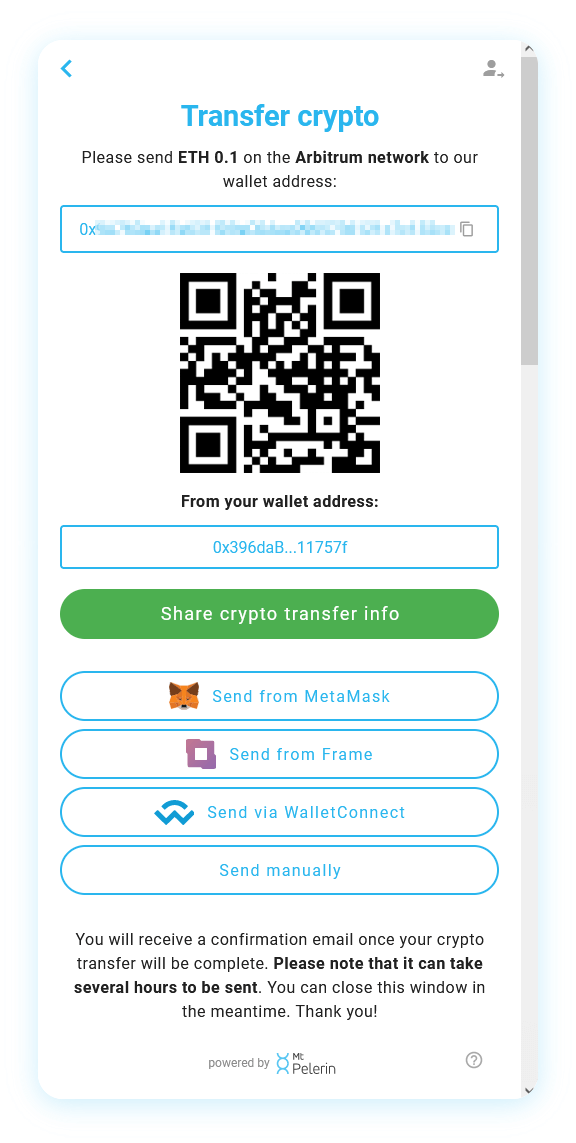
9. Make the crypto transfer
Follow the instructions here to make your payment and send your crypto to our wallet address, using one of the methods available.
⚠️ You must send crypto from the blockchain that you have selected at step 7.
⚠️ You must send crypto from the wallet that you have selected at step 8.
Once we will have received your crypto, you will receive a confirmation email (please note that it can take up to several hours to be sent).
After that, we will convert your crypto into the bill's fiat currency and the bank transfer(s) will be sent to the recipient(s) of the invoice(s). At that moment, you will receive a second notification email with a summary of your transaction.
We only charge a small commission, from 0% to 1.3%, on the crypto-fiat conversion when you pay a bill. It is transparent and without fees hidden in the exchange rate. See our pricing page for detail.
Not at all, with our service you can pay your invoices directly from your own wallet using cryptocurrencies stored on it, without needing a bank account of your own.
Yes, with our interface you can scan a Swiss QR-bill from your phone or using your computer's webcam, and the invoice's detail will be automatically read and loaded.
Yes. You simply need to first register your company with us here: kyb.mtpelerin.com, and once approved (you will receive a confirmation email) you will be able to follow the same steps as an individual to upload and pay your company's invoices.
Once we receive your crypto, which can take from several minutes to several hours to be confirmed, you will get a first notification email to confirm the receiving of your funds. We then convert them into the bill's fiat currency and send a second notification email with the transaction detail as soon as the bank transfer has been sent. The beneficiary then receives the funds the same or next business day.
Yes, Mt Pelerin is regulated in Switzerland since 2019 as a financial intermediary, which is the authorization to provide brokerage and financial services in the country. Mt Pelerin is affiliated to SO-FIT, a self-regulatory organization (SRO) under the Swiss Anti-Money Laundering Act, officially recognized and supervised by FINMA, the Swiss financial market supervisory authority. SO-FIT audits each year the compliance of Mt Pelerin's activities.
The only users that Mt Pelerin cannot accept are US persons and residents in the following countries: Afghanistan, Angola, Bangladesh, Belarus, Burkina Faso, Burundi, Central African Republic, Cuba, Democratic Republic of the Congo, Guinea, Guinea-Bissau, Haiti, Indonesia, Iran, Iraq, Lebanon, Libya, Mainland China (Hong Kong and Taiwan accepted), Mali, Myanmar, Nicaragua, Niger, North Korea, Russia, Somalia, Sudan, South Sudan, Syria, Trinidad and Tobago, the United States, Venezuela, Yemen, Zimbabwe.
Yes, you can pay invoices in bulk by adding as many invoices as needed, then paying all of them as a batch with a single crypto transaction.
Made in Switzerland
Mt Pelerin Group SA is a company established in Switzerland since 2018, with offices in Neuchâtel and Geneva. We are an affiliated financial intermediary, which means that our processes are regularly audited by an external and independent entity. We are affiliated with SRO-member SO-FIT, an officially recognized self-regulatory organization (SRO) according to the Anti-Money Laundering Act by FINMA, the Swiss financial market supervisory authority. You can see our status on the FINMA website here.
Mt Pelerin is a Switzerland-based financial intermediary. It is not authorised or regulated by the UK Financial Conduct Authority (FCA) and is not authorised as a crypto-asset service provider under Regulation (EU) 2023/1114 (MiCA).
Mt Pelerin's cryptoasset services are not intended to be offered, marketed or otherwise made available to residents of the United Kingdom or the European Union. Nothing on this website constitutes or is intended to constitute marketing, an offer or a solicitation of cryptoasset services in the United Kingdom or the European Union.
By continuing, you acknowledge that you have read and understood this notice and confirm that you are accessing this website on your own initiative and not in response to any marketing, offer or solicitation by Mt Pelerin.